|
At Shops
You can pay with Cash, Cheque, Credit Card, EPS, Octopus Card, ApplePay, GooglePay, SamsungPay, Tap & Go, AlipayHK, WeChat Pay, PayMe, Faster Payment System and BoC Pay at any of our shops.
For shop location, please click here. No receipts will be re-issued if payments are not made at SUN Mobile shops, please keep your receipts or electronic records.
|

|
Payment via your Online Banking account
If you are a registered user of any of Hong Kong Local Banks, you can make your payment via login to your Online Banking account. Please make the payment at least 3 working days before the payment due date.
Bill Payment Payee: Telecommunications
Merchant name: Telecom Paging, Telecom Digital and Mango Limited
Bill Type: Mobile Phone Charge
Bill no.: 00 + your mobile service number (e.g. 0051234567)
|
|
AlipayHK
Please install and login to “AlipayHK” App, select “Bill Payment” to link up your mobile service number and proceed the payment.
|

|
PPS
Login to PPS Website http://www.ppshk.com/ to pay your bill via PPS. Please make the payment at least 3 working days before the payment due date.
Merchant Type: Telecommunications Services
Merchant name: Telecom Paging, Telecom Digital and Mango Limited
Merchant code: 28
Bill no.: 00 + your mobile service number (e.g. 0051234567)
|

|
Credit Card Autopay
You can print and complete the Autopay Via Credit Card – Direct Debit Authorization form. Email the completed form to us or submit it in person at one of our shop. The autopay service will come into effect from the next bill date.
|

|
By Post
We accept crossed cheque for payment, please make the payment at least 3 working days before the payment due date.
Cheque payable: Telecom Digital Services Ltd
Back of the Cheque: Account no. OR Mobile Service Number
Address: 10/F, Telecom Digital Tower, 58 Tsun Yip Street, Kwun Tong
Remarks: Do not send a post-dated cheque or cash.
|

|
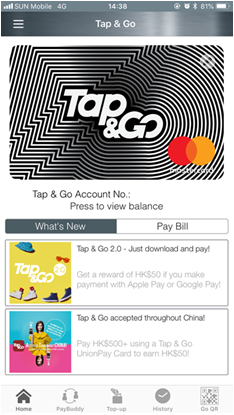
Tap&Go Bill Payment
Pay Bill via your Tap&Go mobile wallet. Details click here.
|
|